How to Dry Out a Wet Charging Port (Without Using Rice)

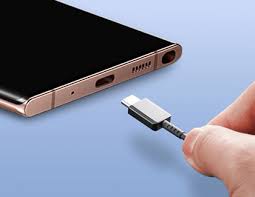
A wet charging port can quickly become a nightmare for us smartphone users. Moisture in the port can prevent the phone from charging, this shows the “moisture detected error” and can cause erratic behavior, and in worst cases, damage the phone’s internal circuitry. While the old “put your phone in rice” trick is a popular thing to do, I mean I’ve seen movies where people put their device in rice too dry it, it’s not the safest or most effective solution. So this guide will explain how to safely dry a wet charging port without using rice and prevent permanent damage.
Why Rice Isn’t Recommended
Whenever my phone accidentally gets wet or get dumped in water, my close ones will say just dump it in rice and ice always been skeptical about that method. Rice has been a popular home remedy for wet phones, but it’s actually risky. Small grains can get stuck in the port, and rice does not absorb moisture effectively deep inside the connectors. Using rice can even introduce dust or starch particles that may worsen the problem. Safer alternatives exist that address moisture without risking further damage.
Step 1: Power Off the Device
The first and most critical step is to turn off your phone immediately. Electricity flowing through a wet port can short-circuit internal components. Powering off ensures no current runs through the wet connectors, reducing the risk of permanent damage.
Step 2: Remove Excess Water
If you notice any visible water, gently clean the port with a soft, dry cloth or paper towel. You should avoid inserting objects like cotton swabs or toothpicks deep into the port, as they can damage the connectors. Light tapping of the device against your hand (gently) may also help to remove any trapped droplets.
Step 3: Use Compressed Air or a Hair Dryer on Cool Setting
Compressed air is a safe and effective way for you to remove moisture. Hold the canister upright and direct short bursts into the port. Avoid using hot air, as heat can damage the internal components of your device and that will cause another problem.
Alternatively, a hair dryer on the cool or lowest heat setting can help evaporate remaining moisture. Keep it a few inches away from the port to avoid overheating.
Step 4: Let the Phone Air-Dry
After you have finished removing the visible moisture, leave the phone in a dry, well-ventilated place for several hours. Ideally, you should place it on a flat surface with the charging port facing down. Make sure to avoid placing the phone in direct sunlight or near heat sources, as extreme heat can warp components or damage the phone’s battery.
Step 5: Test Carefully
Once you’re confident that the port is dry, turn on the phone and test charging with the original cable and charger. If the phone still doesn’t charge or behaves erratically, repeat drying steps or consider professional inspection. It is important to know that you should never force the cable into a wet port, as it may cause permanent short-circuiting.
FAQ
Q1: Can I use a hair dryer on hot mode to dry the port faster?
No, do not try that. Using high heat can melt or warp internal components. Always use cool or low heat settings and keep the dryer at a safe distance.
Q2: How long should I wait before trying to charge?
Wait at least 2–4 hours for minor moisture. For water exposure or high humidity, 6–12 hours is safer. Patience reduces the risk of permanent damage.
Q3: What about using silica gel packs instead of rice?
Silica gel is effective at absorbing moisture, but the device still needs airflow. Place the phone near silica gel packs in a dry area; don’t force the phone into a bag of gel.
Q4: My phone was in saltwater. Is drying enough?
Saltwater is highly corrosive. Even after drying, the port may suffer permanent damage. Rinse gently with distilled water before drying and consider professional inspection.
Q5: Can I charge my phone while it’s wet if I use a wireless charger?
Yes, wireless charging avoids the port, making it safer immediately after exposure. However, ensure the back of the phone is dry and free of debris.
Conclusion
A wet charging port doesn’t have to mean disaster. Avoid rice and instead power off the phone, remove excess water, use compressed air or cool air, and let it air-dry. These steps minimize risk and increase the chance that your Galaxy device will function normally. Patience and careful drying are key, and if the phone continues to misbehave, professional help is the safest option.
When you purchase through links on our site, we may earn an affiliate commission which helps in keeping this website running. Here’s how it works.
Use the Code ref-09ngex to get 5% off from Samsung

About the Author: Ikhide Uanseoje
Welcome to SamUniverse! My name is Ikhide Uanseoje, the mind behind this website dedicated to everything Samsung. As a passionate tech enthusiast and lover, I specialize in delivering the latest news, in-depth reviews, and helpful guides about Samsung products, from smartphones and wearables to laptops and accessories.
Born and raised in Nigeria, I’ve always had a fascination with cutting-edge technology and how it shapes our lives. This passion led me to create SamUniverse, a platform where Samsung fans and tech lovers can explore innovations, tips, and updates that truly matter.
When I’m not writing, you’ll find me exploring new tech trends, brainstorming ideas for future posts, or working on ways to make this website your go-to resource for all things Samsung.
Stay tuned to SamUniverse as we uncover the best Samsung has to offer!