How to Fix Slow Charging on Samsung Devices

If you’ve ever plugged in your Samsung phone only to find the battery crawling up at a frustratingly slow pace, you’re not alone. Many users face this issue, and while it can feel alarming, the good news is that there are simple ways to fix it. Knowing how to fix slow charging on Samsung devices can save you time, keep your phone performing well, and even extend the life of your battery.
This guide covers all the common reasons behind slow charging and provides practical solutions you can try right away.
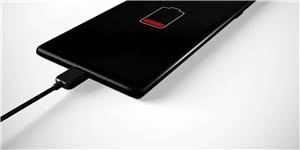
Why Does Slow Charging Happen?
Before diving into solutions, it’s important to understand why this happens in the first place. When you know how to fix slow charging on Samsung devices, you’ll see that most problems fall into a few categories:
Faulty cables or adapters that don’t deliver the right power.
Dust or debris clogging your charging port.
Background apps consuming too much battery while charging.
Battery health issues in older phones.
Settings misconfigurations, like fast charging being disabled.
Once you identify the cause, fixing slow charging becomes much easier.
Check Your Charging Accessories
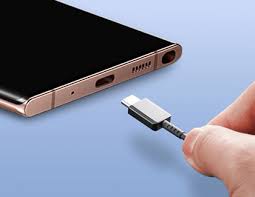
One of the simplest steps in learning how to fix slow charging on Samsung devices is making sure your charger is in good condition. Many slow charging issues are caused by non-original or damaged cables. Always use Samsung-certified chargers or trusted third-party alternatives that support fast charging. If you notice frayed wires, replace them immediately.
Clean the Charging Port
Over time, tiny particles of dust and lint can build up in your phone’s charging port, preventing a proper connection. To fix this, gently clean the port with a soft brush or compressed air. Be careful not to damage the connectors inside. A clean port can make a huge difference when figuring out how to fix slow charging on Samsung devices.
Optimize Your Phone’s Settings
Samsung phones come with built-in options to enable or disable fast charging. Go to: Settings > Battery and Device Care > Battery > More Battery Settings Here, check if “Fast Charging” or “Super Fast Charging” is enabled. Sometimes, this option may be turned off without you realizing it. Enabling it is an easy win when applying methods on how to fix slow charging on Samsung devices.
Close Background Apps
If your phone is running multiple apps while charging, it can slow down the charging speed significantly. Clearing background apps and switching on Battery Saver Mode reduces power consumption, helping your phone charge faster. This is a simple but effective step in mastering how to fix slow charging on Samsung devices.
Monitor Battery Health
Batteries naturally degrade over time. If your phone is a few years old and you’ve tried all other solutions, the slow charging could be due to battery wear. At this point, knowing how to fix slow charging on Samsung devices might mean taking your phone to a Samsung service center for a battery replacement.
Avoid Charging While Using the Phone
It might be tempting to scroll, stream, or game while your phone charges, but doing so puts extra strain on the battery and slows down charging. One of the simplest tricks in how to fix slow charging on Samsung devices is to just let the phone rest while it powers up.
Keep Software Updated
Samsung often releases software updates that improve system performance and fix charging-related bugs. Regularly checking for updates can play an important role in how to fix slow charging on your Galaxy devices. Go to Settings > Software Update > Download and Install to stay up-to-date.
Conclusion
Slow charging can be annoying, but it’s rarely a permanent problem. By checking your charger, cleaning the port, optimizing settings, closing background apps, and keeping your phone updated, you’ll quickly learn how to fix slow charging on your Galaxy devices without stress. And if your phone is still struggling despite all these steps, it may be time to look into a battery replacement.
The key is to act early, small fixes can prevent bigger issues and keep your Samsung device running smoothly for years.
When you purchase through links on our site, we may earn an affiliate commission which helps in keeping this website running. Here’s how it works.
Use the Code ref-09ngex to get 5% off from Samsung

About the Author: Ikhide Uanseoje
Welcome to SamUniverse! My name is Ikhide Uanseoje, the mind behind this website dedicated to everything Samsung. As a passionate tech enthusiast and lover, I specialize in delivering the latest news, in-depth reviews, and helpful guides about Samsung products, from smartphones and wearables to laptops and accessories.
Born and raised in Nigeria, I’ve always had a fascination with cutting-edge technology and how it shapes our lives. This passion led me to create SamUniverse, a platform where Samsung fans and tech lovers can explore innovations, tips, and updates that truly matter.
When I’m not writing, you’ll find me exploring new tech trends, brainstorming ideas for future posts, or working on ways to make this website your go-to resource for all things Samsung.
Stay tuned to SamUniverse as we uncover the best Samsung has to offer!