How to Use Samsung Galaxy Buds with Any Device

Wireless earbuds have become an essential part of everyday life, and Samsung’s Galaxy Buds are among the most popular options available. Known for their sleek design, impressive audio quality, and seamless integration with Samsung smartphones, these earbuds also work surprisingly well with other devices. Whether you own an iPhone, a Windows laptop, or even a gaming console, learning how to use Samsung Galaxy Buds with any device will help you unlock their full potential.
In this article, we’ll cover step-by-step methods to connect your Galaxy Buds to different platforms, along with tips to maximize sound quality and battery life.
Why Compatibility Matters
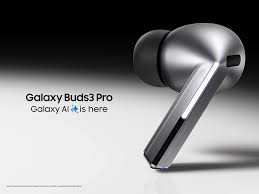
Before diving into the steps, it’s important to understand why learning how to use Samsung Galaxy Buds with any device is valuable. Many users assume Galaxy Buds are exclusive to Samsung phones, but in reality, they use standard Bluetooth technology. This makes them versatile and easy to pair with virtually any gadget that supports Bluetooth audio.
How to Use Samsung Galaxy Buds with Android Devices
For Android users outside the Samsung ecosystem, the process is simple. All you need to do is:
- Open the charging case of your Galaxy Buds.
- Go to the Bluetooth settings on your Android device.
- Select “Galaxy Buds” from the list of available devices.
Once paired, you can enjoy music, take calls, and access touch controls. While Samsung’s Galaxy Wearable app offers extra features on Samsung phones, basic functions work smoothly on all Android devices. This shows the flexibility of how to use Samsung Galaxy Buds with any device beyond just Galaxy smartphones.
How to Use Samsung Galaxy Buds with iPhone
Apple users often wonder whether Galaxy Buds can pair with iPhones. The good news is they can. The pairing process is almost identical:
- Put the Galaxy Buds in pairing mode by opening the case.
- On your iPhone, go to Settings > Bluetooth.
- Select “Galaxy Buds” and connect.
Although you won’t get access to Apple’s ecosystem features like seamless switching with AirPods, the sound quality and call performance remain excellent. This makes iPhones another great example of how to use Samsung Galaxy Buds with any device effectively.
How to Use Samsung Galaxy Buds with Windows Laptops
Using Galaxy Buds with laptops is straightforward. On a Windows PC:
- Open Settings > Devices > Bluetooth & other devices.
- Enable Bluetooth and select “Add Bluetooth or other device.”
- Choose your Galaxy Buds from the list.
Once connected, you can use them for video calls, gaming, or streaming. The versatility of how to use Samsung Galaxy Buds with any device becomes clear here, as they serve multiple purposes beyond just music playback.
How to Use Samsung Galaxy Buds with Gaming Consoles
Pairing Galaxy Buds with consoles like the Nintendo Switch or PlayStation can be slightly trickier, as not all consoles support Bluetooth audio directly. However, with a Bluetooth adapter, you can connect them easily. Just plug the adapter into your console, put the Galaxy Buds in pairing mode, and follow the adapter’s instructions.
This step demonstrates another layer of how to use Samsung Galaxy Buds with any device, making them a universal solution for entertainment.
Tips for Better Experience
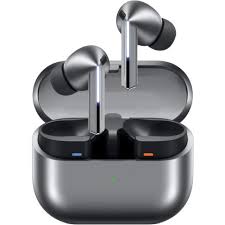
To make the most out of your earbuds across devices:
Keep firmware updated: Use the Galaxy Wearable app on Android to ensure your Buds run the latest version.
Optimize audio settings: Many devices allow sound customization, so experiment with equalizer options for the best results.
Manage battery wisely: Always store Buds in the case when not in use to preserve battery life.
Learn the touch controls: Play/pause, skip tracks, or adjust volume directly from the earbuds without reaching for your device.
Conclusion
Learning how to use Samsung Galaxy Buds with any device opens up new possibilities for enjoying wireless audio no matter what technology you rely on daily. Whether you’re pairing with an iPhone, a Windows laptop, or even a gaming console, the Galaxy Buds deliver consistent performance and reliable sound quality.
By following the steps outlined above, you can confidently pair your Galaxy Buds with almost anything, making them a truly versatile choice in the wireless earbud market.
When you purchase through links on our site, we may earn an affiliate commission which helps in keeping this website running. Here’s how it works.
Use the Code ref-09ngex to get 5% off from Samsung

About the Author: Ikhide Uanseoje
Welcome to SamUniverse! My name is Ikhide Uanseoje, the mind behind this website dedicated to everything Samsung. As a passionate tech enthusiast and lover, I specialize in delivering the latest news, in-depth reviews, and helpful guides about Samsung products, from smartphones and wearables to laptops and accessories.
Born and raised in Nigeria, I’ve always had a fascination with cutting-edge technology and how it shapes our lives. This passion led me to create SamUniverse, a platform where Samsung fans and tech lovers can explore innovations, tips, and updates that truly matter.
When I’m not writing, you’ll find me exploring new tech trends, brainstorming ideas for future posts, or working on ways to make this website your go-to resource for all things Samsung.
Stay tuned to SamUniverse as we uncover the best Samsung has to offer!