I Use These 6 Samsung Widgets in My Daily Life to Boost Productivity

Samsung widgets are one of the underrated features most people don’t use or take advantage of, but for me, I’ve been able to simplify my daily routine, stay organized, and manage my time more effectively. As a Samsung user, I’ve discovered a handful of built-in widgets that I now rely on every day and I’m convinced that they can help you too.
Whether you’re a student, a busy professional, or just looking to optimize your smartphone use, these are six Samsung widgets that I use that can make a major difference in your productivity.

What Exactly Are Samsung Widgets?
Before we get started, we need to know what Samsung widgets are. Well Samsung widgets are like mini-applications that you can place on your home screen to quickly access key features without opening the full app. With just a glance or a tap, you can see your calendar, to-do list, or control your smart home, all from your home or lock screen.
These widgets work seamlessly with Samsung’s One UI and offer customization options for your specific needs. They’re built for speed, convenience, and most importantly for better productivity.
Calendar Widget: Helps You Stay Ahead of Your Schedule
One of the most common but essential Samsung widgets I use daily is the Calendar widget. It keeps all my appointments, deadlines, and meetings visible right on my home screen. Whether it’s a class, a work call, or my family birthday that’s coming up, I can see my agenda without opening the app.
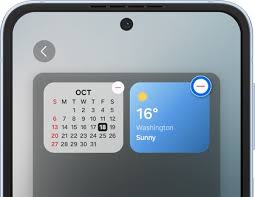
You can choose between the full monthly view or the more focused “Today’s events” layout, depending on what suits your style. I personally use the agenda view so I can always anticipate what’s coming next.
Reminder Widget: Track Your To-Dos With Zero Stress
The Samsung Reminder widget is another lifesaver for managing tasks and errands. I use it to jot down my to-do lists, groceries, bills to pay, and even personal goals.
With this widget, I never forget anything important because it’s all pinned to my home screen. And because it syncs with my Samsung account, I can easily access my reminders on my tablet or laptop.
Weather Widget: Plan Your Day With Confidence
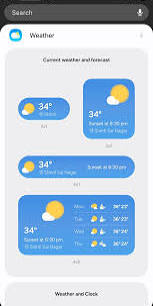
Checking the weather used to be something I’d forget until I was already out the door. But now, with the Samsung Weather widget, I now know the forecast at a glance. This helps me plan my day better, whether i should an umbrella or dress I should wear for the day.
I love how clean and customizable it is, showing everything from temperature to air quality.
Digital Wellbeing Widget: Monitor Focus and Your Screen Time
This might sound strange for a productivity article, but tracking my screen time is one of the most helpful habits I’ve developed. The Digital Wellbeing widget lets me see how much time I’m spending on social media, entertainment, and other apps in a day.
This visibility helps me stay focused and limit distractions throughout the day. It’s a constant reminder to stay intentional about how I use my device.
SmartThings Widget: Control Your Home From Anywhere
The SmartThings widget makes it incredibly easy to control my smart devices right from the home screen. Whether it’s turning on lights, activating the air conditioner, or starting the robot vacuum, I can do it all without opening the SmartThings app.
This not only saves time but also makes me more likely to stick with my morning and evening routines.
Device Care Widget: Keep My Phone Fast and Clean
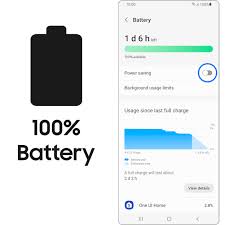
Last on my list is the Device Care widget. It shows my phone’s battery status, storage usage, and memory usage all in one glance and with just one tap, I can optimize my device, clear background apps, free up RAM, and boost my phone speed.
This has helped me avoid annoying slowdowns and lags during busy days when I need my phone to perform at its best.
Conclusion
If you’re looking to get more done, stay organized, and feel in control of your day, I highly recommend trying out these Samsung widgets. They’re easy to set up, lightweight, and genuinely useful.
Using these 6 Samsung widgets has helped me boost my productivity without installing extra apps or making big changes. Just a few tweaks to your home screen can go a long way.
When you purchase through links on our site, we may earn an affiliate commission which helps in keeping this website running. Here’s how it works.
Use the Code ref-09ngex to get 5% off from Samsung

About the Author: Ikhide Uanseoje
Welcome to SamUniverse! My name is Ikhide Uanseoje, the mind behind this website dedicated to everything Samsung. As a passionate tech enthusiast and lover, I specialize in delivering the latest news, in-depth reviews, and helpful guides about Samsung products, from smartphones and wearables to laptops and accessories.
Born and raised in Nigeria, I’ve always had a fascination with cutting-edge technology and how it shapes our lives. This passion led me to create SamUniverse, a platform where Samsung fans and tech lovers can explore innovations, tips, and updates that truly matter.
When I’m not writing, you’ll find me exploring new tech trends, brainstorming ideas for future posts, or working on ways to make this website your go-to resource for all things Samsung.
Stay tuned to SamUniverse as we uncover the best Samsung has to offer!