Samsung Smart Tag Vs Apple Air Tag: Which Tracker Is Best For Everyday Use

When you purchase through links on our site, we may earn an affiliate commission which helps in keeping this website running. Here’s how it works.
Use the Code ref-09ngex to get 5% off from Samsung
It’s easy for us to misplaced or lose our belongings, from earbuds, to wallets, purses, backpacks and luggages. This is why many companies have tried to make it easier to find our lost items, one of those inventions were Bluetooth trackers.
In 2026, Bluetooth trackers come in different shapes and size, some coin shaped, some pilled shape and some are as slim as your credit card. Amongst all these Bluetooth trackers out there, the most popular ones are Samsung Smart Tags and Apple Air Tags
Both of these trackers are great and work better when you’re using their respective ecosystem. These tiny devices helps us to find our lost belongings by using our smartphones.
While these two are great Bluetooth trackers, people still don’t know which one to get, so in this article I’m going to compare these two trackers in terms of their features, comparability and everyday usefulness to see which of them is the better pick.
What Are Bluetooth Trackers?
Before we dive into the comparison between Samsung Smart Tag Vs Apple Air Tag, we need to know what Bluetooth trackers are and how they work.
Bluetooth trackers are small devices that are designed to help us keep track of our items such as our keys, bags, wallets or luggage. You attach it to the item you want to monitor, allowing you to track and locate it using your smartphone if it is misplaced.
Most Bluetooth trackers out there connect to our devices using a low energy Bluetooth signal (BLE). Once it’s paired, the tracker will communicate with an app on your device that shows the device location. Some Bluetooth trackers have a feature that if you are close enough to the tracker, it will play a sound making it easier to find something that may be hidden under a couch or inside your bag.
An amazing feature about this Bluetooth trackers is that it comes from the large networks that support them. So if your item is lost outside your device Bluetooth range, other nearby smartphones in the same network can help locate it anonymously.
When another compatible device passes near the tracker, its location is updated and sent to the network, allowing you to see where your item is on the map. This is how both Samsung Smart tag and Apple Air Tag help it’s users find their lost belongings even when they are far away.
Samsung trackers rely on the Samsung SmartThings Find network, which uses millions of Galaxy devices to help locate lost items. Apple takes a similar approach with its Find My network, which uses nearby Apple devices to anonymously detect and report the location of an AirTag. Because of these networks, Bluetooth trackers are not limited to the range of your own phone. Instead, they use a large ecosystem of devices to help locate missing items, making them far more effective than simple Bluetooth connections alone.
Samsung SmartTags vs Apple AirTag: Design and Build
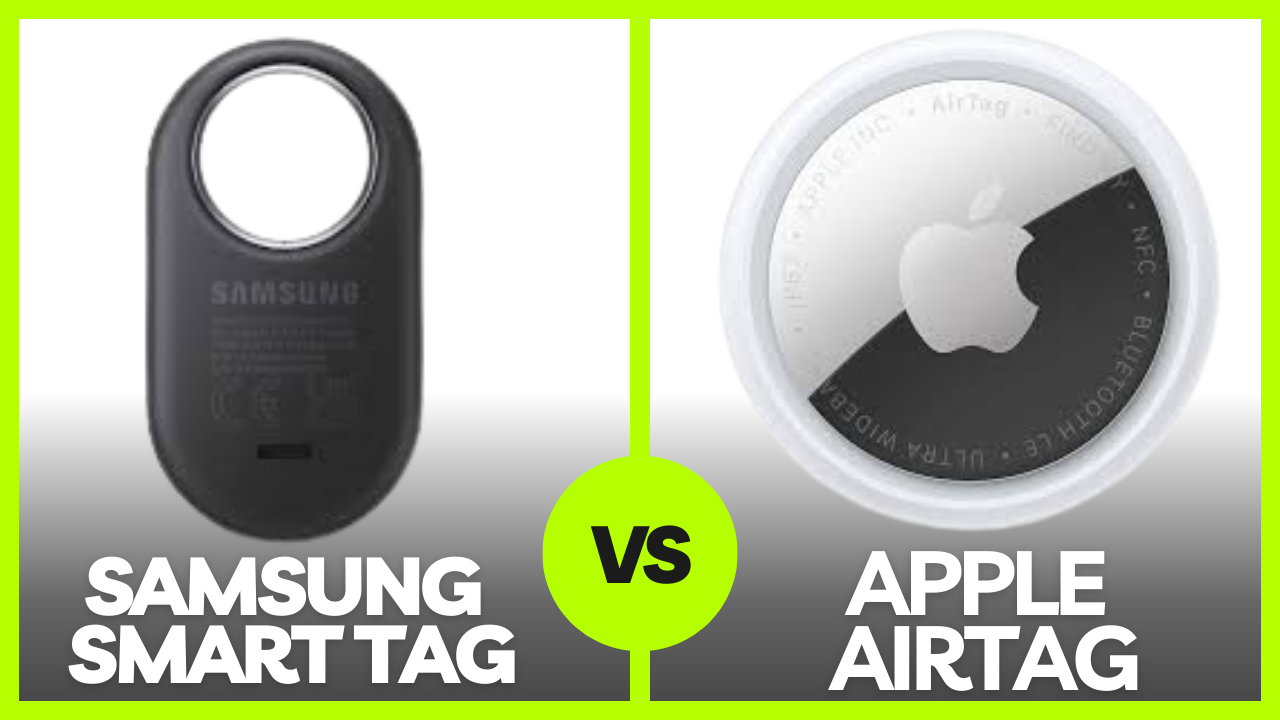
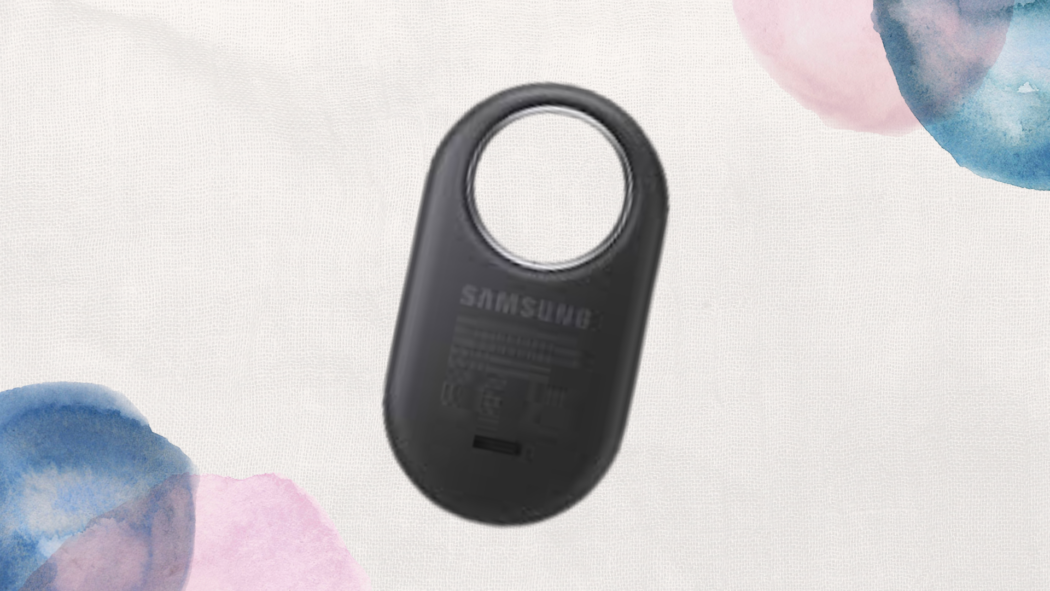
When we’re comparing Samsung’s SmartTag against Apple AirTag, one of the first differences you will notice is their design. Samsung SmartTags uses a small square-shaped design with rounded corners.
This shape makes the tracker very easy to attach directly to a keyring or bag because it already includes a built-in hole for a keychain. The device is compact and lightweight, making it convenient to fire you to carry without adding noticeable bulk to your items and belongings.
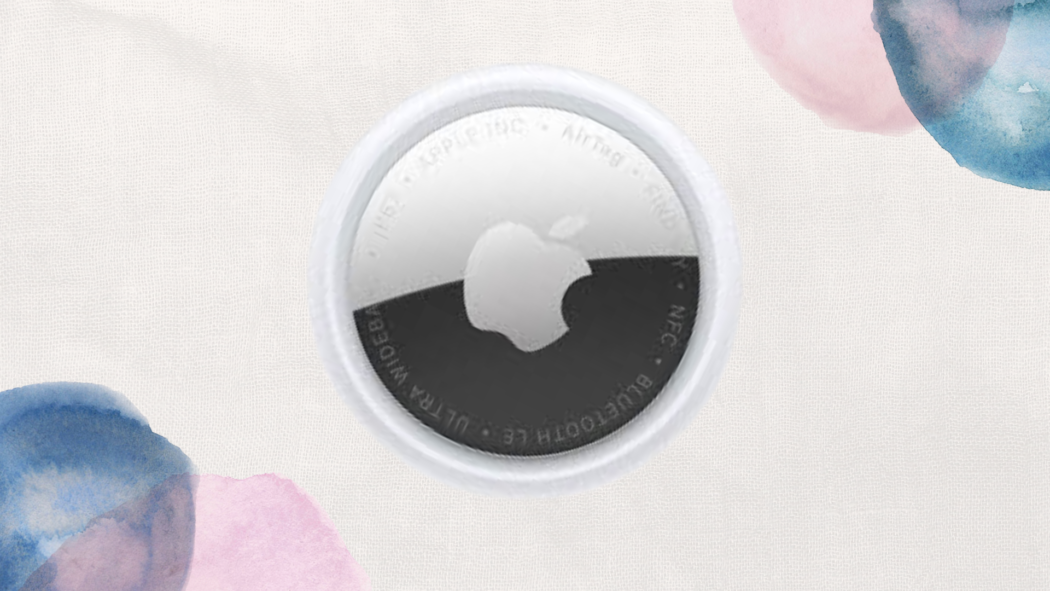
The Apple AirTag on the other hand, takes a different approach with its circular design. It looks more like a small coin, with a polished metal back and a white front. While the design is the Sole Airtag is minimal and stylish, it does not include a built-in keyring hole.
To get that hole you need to buy an additional holder or accessory before attaching it to keys or bags. So in terms of portability, both trackers are small enough to carry comfortably in your pockets, bags, or luggage. However, Samsung’s built-in keyring hole can make the SmartTag more convenient for everyday use since it can be attached directly to items without extra accessories.
Both trackers also use replaceable batteries, which is helpful for long-term use. They typically rely on a CR2032 coin battery that can last several months before needing replacement. When the battery runs low, it can easily be replaced by opening the tracker and inserting a new one.
Overall, both trackers are compact and practical, but the design of Samsung SmartTags is more convenient for your everyday use because of the built-in attachment point. But, I will choose the AirTag because focuses more on a minimal, polished design that fits well within Apple’s ecosystem.
Compatibility: Galaxy Phones vs iPhones
Another way to compare Samsung SmartTag and Apple AirTag is by compatibility, this is also an important factors to consider. These trackers are designed to work within specific ecosystems, which means they are not universally compatible with every smartphone.
Samsung SmartTags are designed mainly for Samsung Galaxy devices and work through the Samsung SmartThings app. Galaxy users can connect the tracker to their phone, monitor its location, and manage tracking features directly from the SmartThings platform. However, the SmartTags do not fully support other devices like iPhones or non-Samsung Android devices, which limits their usability outside the Galaxy ecosystem.
Apple AirTag, on the other hand, works exclusively with Apple devices through the Find My network. If you’re an iPhone user, you can easily add an AirTag to the Find My app and track items directly from their device. However, AirTag does not provide full functionality on Android devices.
Because of these limitations, compatibility is usually the most important deciding factor. If you use a Samsung Galaxy phone, the SmartTags integrate naturally with the Samsung’s ecosystem. If you use an iPhone, AirTag works seamlessly with Apple’s devices and services.
Tracking Technology and Accuracy
Both Samsung SmartTags and Apple AirTag rely on a combination of Bluetooth technology and device networks to locate lost items.
The basic method used by both trackers is Bluetooth tracking. When the tracker is within Bluetooth range of your phone, the connected app can show the approximate location of the item and even play a sound that can help you find it nearby.
Some versions of these trackers also support Ultra Wideband (UWB) technology, which allows for more precise tracking. When paired with compatible smartphones, the UWB can provide directional guidance that will help users to locate items with greater accuracy.
Another important feature is network tracking. If a tracker is outside your phone’s Bluetooth range, nearby smartphones in the same ecosystem can help to detect it anonymously. These devices then send the tracker’s location back to the network so that the owner can see its position on a map.
In terms of network size, Apple’s Find My network is generally considered larger because it includes hundreds of millions of Apple devices around the world. Samsung’s SmartThings Find network is also large but mainly consists of Samsung Galaxy devices.
As a result, the Apple AirTag may have a slight advantage when it comes to locating items in areas with many Apple devices nearby like in the USA, but if you live in Korea, the smart tag is the better option.
Smart Features and Extra Functions
Both of these trackers include several useful features that is designed to make finding your lost items easier.
One of the most basic features is the ability to trigger a sound from the tracker. When the item is nearby, users can activate a ringing sound from their phone to help locate it quickly.
Both trackers also support location notifications. If you leave an item behind, the app can notify you so that you can return and retrieve it before it is lost.
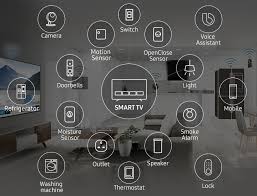
Samsung SmartTags offer additional integration with Samsung’s smart home ecosystem. Through SmartThings, users can assign certain automation functions to the tracker’s button, such as turning on lights or controlling smart devices. This gives SmartTags extra functionality beyond simple item tracking.
On the other hand, the Apple AirTag focuses heavily on privacy protections. Apple includes features that prevent unwanted tracking by notifying users if an unknown AirTag is moving with them. These safeguards help reduce the risk of trackers being used improperly.
Overall, SmartTags provide useful automation features within Samsung’s ecosystem, while AirTag places stronger emphasis on privacy and security.
Battery Life and Maintenance
Battery life is another important factor when choosing between the two trackers. Both Samsung SmartTags and Apple AirTag use a CR2032 coin battery, which is commonly available and easy to replace.
Under normal usage, these batteries can last around one year before needing replacement. When the battery level becomes low, the companion app usually sends a notification so users know it is time to replace it.
Replacing the battery is also straightforward. Both trackers can be opened easily, allowing users to swap the battery without special tools. This design makes long-term maintenance simple and affordable.
Because both trackers use the same battery type and have similar battery life, there is little difference in everyday reliability. Neither device requires frequent charging or complicated maintenance.
Which Tracker Is Better for Everyday Use?
Both Samsung SmartTags and Apple AirTag are effective tracking devices, but the better option depends largely on the smartphone ecosystem you use.
Samsung SmartTags work best for Galaxy users who want seamless integration with Samsung devices and the SmartThings platform. Features like smart home automation and built-in keyring attachment can also make them convenient for daily use.
Apple AirTag is ideal for iPhone users who want deep integration with Apple’s ecosystem and access to the large Find My tracking network. The extensive network of Apple devices can increase the chances of locating lost items in busy areas.
For travelers or people who frequently misplace items, both trackers can be helpful tools for keeping track of keys, bags, or luggage. Ultimately, the best tracker for everyday use is the one that works most naturally with the devices you already own.
Final Verdict: Samsung SmartTags vs Apple AirTag
After comparing both the Samsung SmartTag and Apple AirTag, it has become clear that both trackers are designed to do the same job, to help users locate lost items such as keys, bags, or luggage.
However, they approach this goal slightly differently depending on the ecosystem they belong to. Samsung’s SmartTag stand out for Galaxy users because they integrate directly with Samsung SmartThings and the SmartThings Find network.
The built-in keyring hole also makes them easier to attach to everyday items without needing extra accessories. In addition, SmartTags can offer extra functionality through Samsung’s ecosystem, such as triggering smart home actions. Apple AirTag, on the other hand, works seamlessly within the Apple ecosystem through the Find My network.
Apple’s massive network of devices can help you detect and report lost AirTags, which can sometimes make tracking more effective in crowded areas. Apple also places a strong emphasis on privacy protections to prevent unwanted tracking.
In terms of battery life, tracking technology, and everyday reliability, both trackers perform very similarly. The main difference lies in how well each one integrates with the devices you already use.
Conclusion
The Samsung SmartTags vs Apple AirTag comparison ultimately comes down to ecosystem compatibility. Both of these trackers are capable tools that make it easier for us to locate our misplaced belongings, but they are designed to work best within their respective platforms. Galaxy users will benefit more from Samsung SmartTags because they connect directly with Samsung devices and services. Meanwhile, iPhone users will find Apple AirTag more convenient since it integrates smoothly with Apple’s Find My network and the broader Apple ecosystem. Choosing the right tracker therefore depends less on which device is objectively better and more on which one fits naturally into the technology ecosystem you already use.
When you purchase through links on our site, we may earn an affiliate commission which helps in keeping this website running. Here’s how it works.
Use the Code ref-09ngex to get 5% off from Samsung

About the Author: Ikhide Uanseoje
Welcome to SamUniverse! My name is Ikhide Uanseoje, the mind behind this website dedicated to everything Samsung. As a passionate tech enthusiast and lover, I specialize in delivering the latest news, in-depth reviews, and helpful guides about Samsung products, from smartphones and wearables to laptops and accessories.
Born and raised in Nigeria, I’ve always had a fascination with cutting-edge technology and how it shapes our lives. This passion led me to create SamUniverse, a platform where Samsung fans and tech lovers can explore innovations, tips, and updates that truly matter.
When I’m not writing, you’ll find me exploring new tech trends, brainstorming ideas for future posts, or working on ways to make this website your go-to resource for all things Samsung.
Stay tuned to SamUniverse as we uncover the best Samsung has to offer!